Colorsona
Join the waitlistJoin

All help

Invite a friend

Share a link or QR code. You pick who joins.

  1. Open the Friends tab and tap Invite friends.
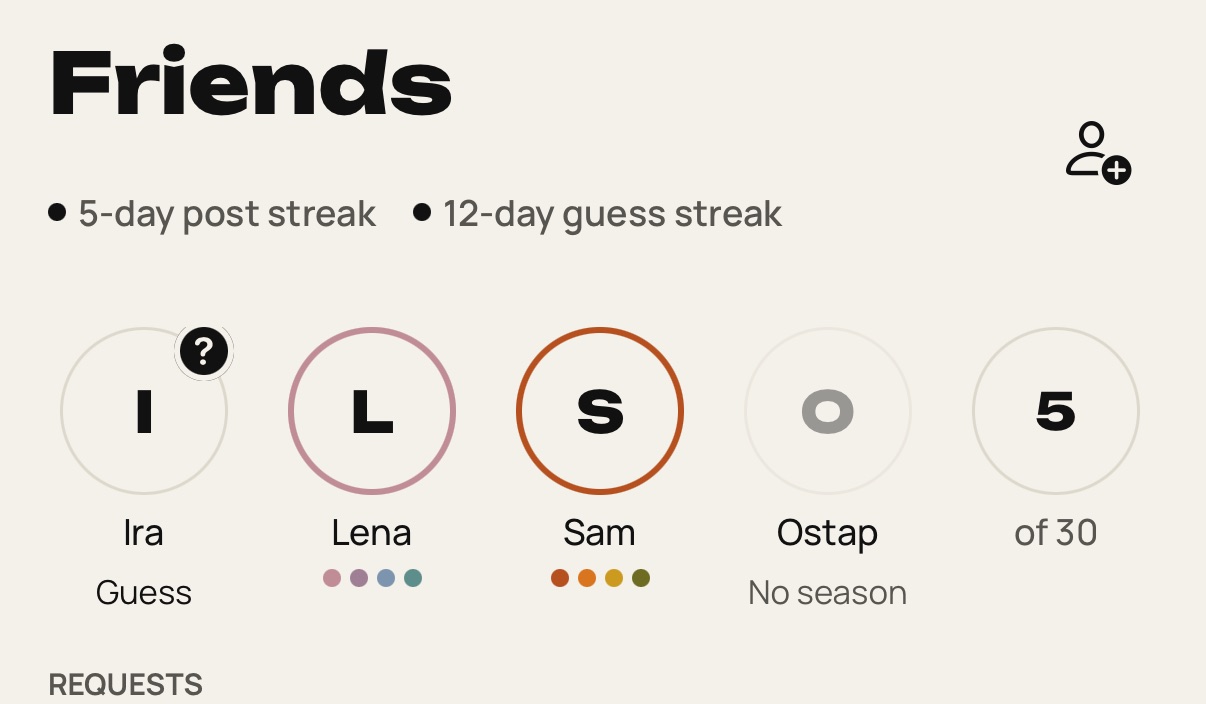
    Step 1: Open the Friends tab and tap Invite friends.
  2. Choose how long the link works: 24 hours, 7 days or Always. To stop the old link, tap New link.
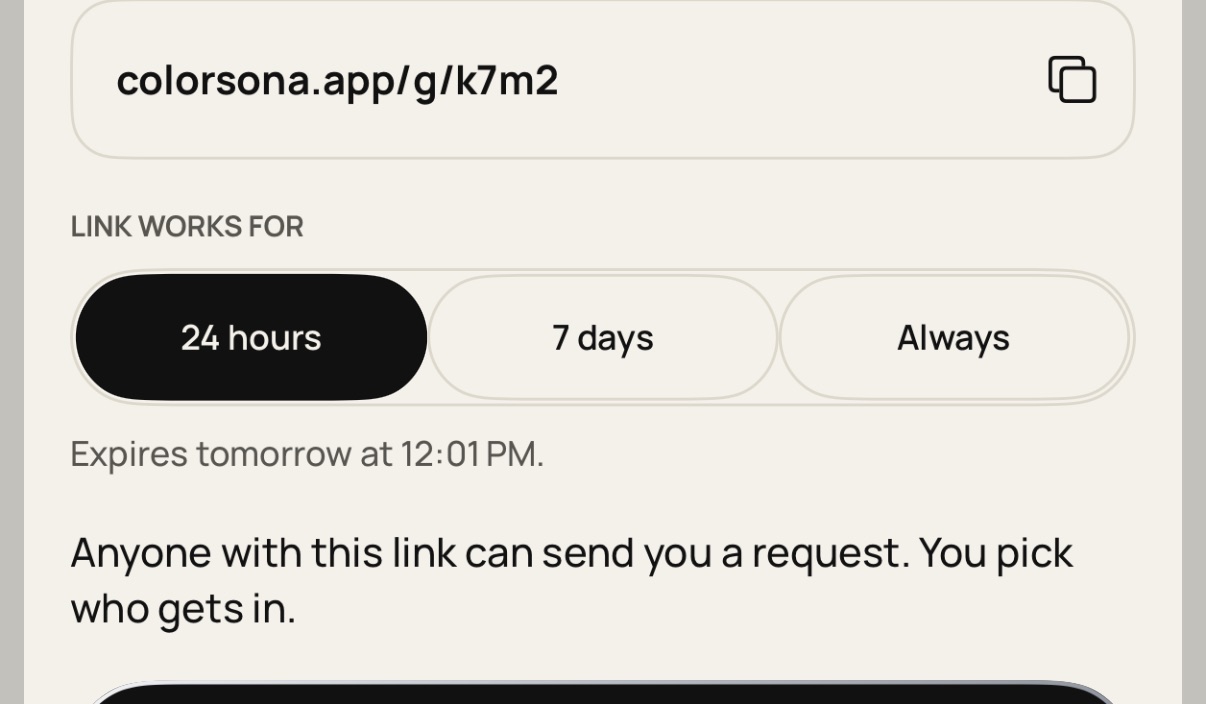
    Step 2: Choose how long the link works: 24 hours, 7 days or Always. To stop the old link, tap New link.
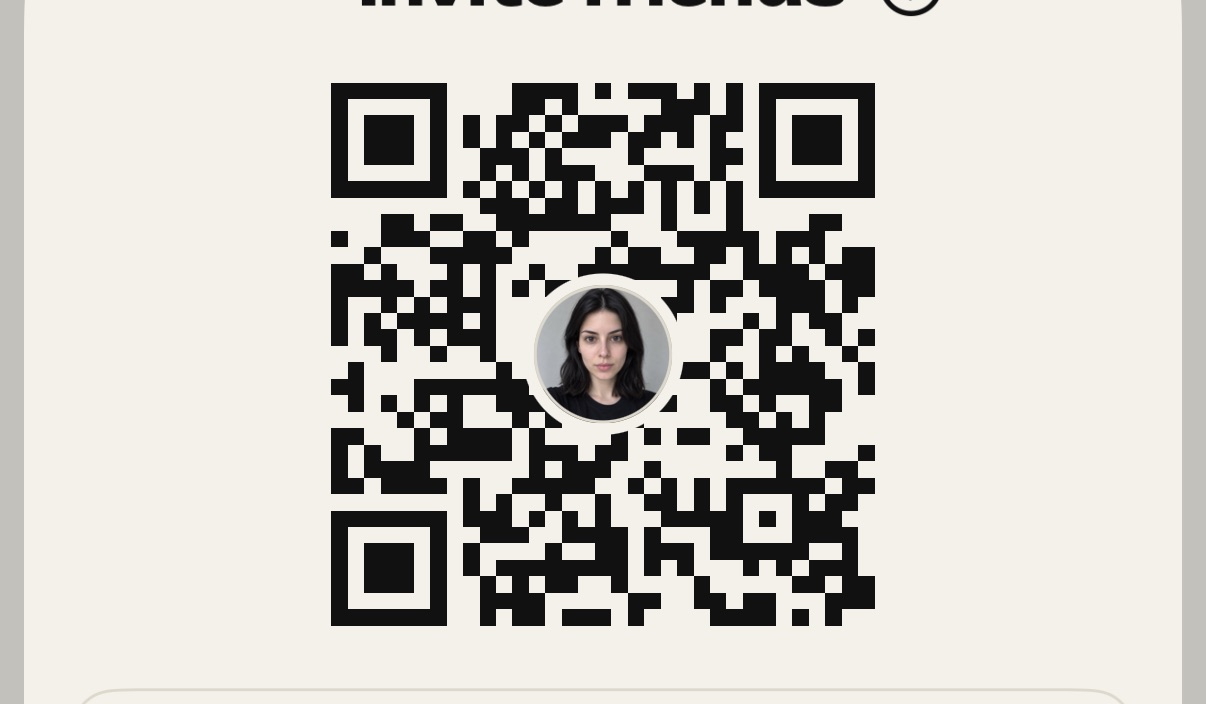
  3. Share the link or show the QR code.

    Step 3: Share the link or show the QR code.
  4. When your friend opens it, they send a request. Tap Accept to connect.
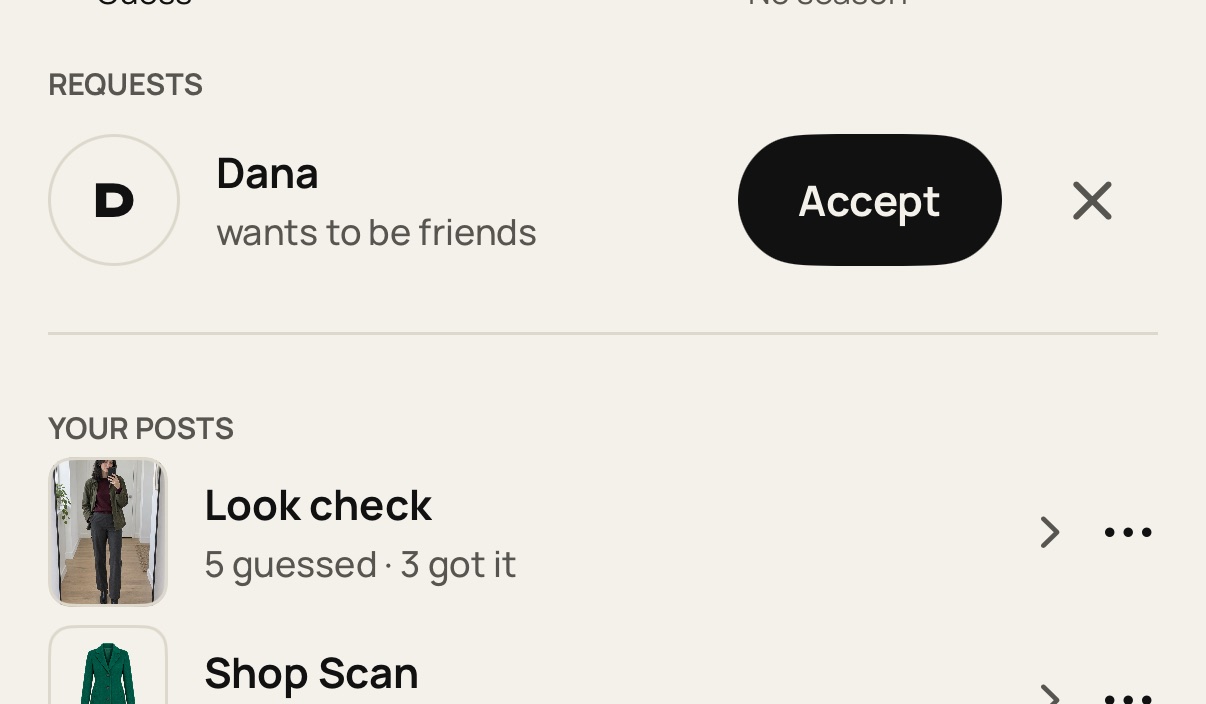
    Step 4: When your friend opens it, they send a request. Tap Accept to connect.

Still stuck? Write to [email protected].